
Getting Help and Contacting Support
Tutorial 15.3: Getting Help and Contacting Support
Introduction
Stuck on something? We're here to help. Luminate offers several ways to get assistance, from in-app help links to direct support from our team. This guide shows you where to find help within the system, how to contact support effectively, and what to expect when you reach out.
Getting the right help quickly means knowing where to look and how to describe your issue. We'll cover all your options so you can get back to running your salon as fast as possible.
Who this is for: All Luminate users who need assistance or want to know how to get help when needed.
What you'll learn:
- Where to find help within Luminate
- How to access the documentation
- When and how to contact support
- What information to include in support requests
- Typical response times and expectations
Time to complete: 5-10 minutes
Prerequisites
Before you begin, make sure you have:
- Access to your Luminate account (for in-app help)
- Your salon name (for support requests)
Step-by-Step Instructions
Step 1: Finding Help Within Luminate
Luminate provides help access directly from the sidebar navigation.
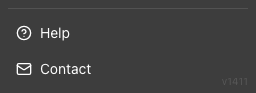
To access help:
- Look at the bottom of the left sidebar menu
- Find the Help link with a question mark icon
- Click Help to open the documentation website in a new tab
The Help link is always visible at the bottom of the sidebar, regardless of which page you're on or which salon you're viewing.
To contact us:
- Look at the bottom of the left sidebar menu
- Find the Contact link with an envelope icon
- Click Contact to open our contact page in a new tab
Ask Lumen (in-app AI assistant):
For quick questions, look for the Lumen chat button in the bottom-right corner of any page. Lumen is Luminate's built-in AI assistant — ask it a question in plain English and get an instant answer without leaving the app. See Tutorial 15.4: Using Lumen — Your In-App AI Assistant for the full guide.
Step 2: Using the Documentation
The Luminate documentation (where you're reading this now) is organised into sections covering every aspect of the system.
How to find what you need:
- Browse by section - Tutorials are grouped by topic (Getting Started, Daily Operations, Staff Management, etc.)
- Follow learning paths - Suggested sequences for different roles (New Owner, New Receptionist, etc.)
- Use related tutorials - Each tutorial links to relevant related guides
- Check FAQs - Common questions are answered at the end of each tutorial
Documentation sections include:
| Section | What It Covers |
|---|---|
| Getting Started | First login, setup, roles |
| Daily Operations | Calendar, appointments, POS |
| Customer Management | Profiles, history, communication |
| Staff Management | Adding staff, accounts, performance |
| Scheduling | Roster, holidays, shifts |
| Leave Management | Allowances, requests, approvals |
| Services & Products | Menu setup, inventory |
| Financial Management | Transactions, refunds, balances |
| Reporting | Dashboard, reports, exports |
| Notifications | Reminders, templates, messaging |
| Compliance | Skin tests, GDPR |
| Advanced Features | Multi-salon, custom settings |
| Settings | Profile, preferences, configuration |
| Billing | Subscription, payments |
| Troubleshooting | Common issues, errors |
| Role Guides | Specific guides by user role |
| Best Practices | Daily/weekly procedures |
| Online Booking | Customer self-service |
| Marketing Campaigns | Bulk SMS/email campaigns |
| Colour Management | Colour formulas, the Colour Bar |
Step 3: When to Contact Support
Contact support when:
- You've tried the troubleshooting guides but the issue persists
- You see a technical error (server error, system error)
- You need account recovery (lost 2FA, locked out)
- You have a billing question or payment issue
- You've found a bug that needs reporting
- You need data assistance (corrections to historical records)
- You have a feature request or suggestion
You don't need to contact support for:
- How-to questions (check the documentation first)
- Common issues (see Tutorial 15.1)
- Understanding errors (see Tutorial 15.2)
- Permission issues (speak to your salon Owner or Admin)
Step 4: How to Contact Support
Email Support
The primary way to reach our support team is by email:
Email: hello@luminate.salon
What happens when you email:
- You'll receive an automatic confirmation that your message was received
- A support team member will review your request
- You'll receive a response with assistance or follow-up questions
Response times:
| Request Type | Typical Response |
|---|---|
| Urgent (can't access account, system down) | Within 4 hours during business hours |
| Standard (bugs, issues, questions) | Within 1 business day |
| Feature requests/feedback | Within 2-3 business days |
Business hours: Monday to Friday, 9am to 5pm UK time
Step 5: Writing an Effective Support Request
The more information you provide, the faster we can help. Include these details in your email:
Essential information:
- Your salon name - So we can find your account
- Your name and role - Who you are and what role you have
- What you were trying to do - The action you were attempting
- What happened - What you saw instead of the expected result
- Any error messages - Copy the exact text if possible
Helpful additional details:
- When it happened - Date and approximate time
- Browser and device - e.g., "Chrome on Windows laptop"
- Steps to reproduce - How to make the issue happen again
- Screenshots - Visual evidence of the problem
Example of a good support request:
Subject: Cannot complete transaction - "Transaction must have items" error

Hello,

Salon: Luxe Hair Studio
Name: Sarah Johnson (Manager)

I'm trying to complete a transaction for a customer but keep getting an
error saying "Transaction must have at least one item before completion."

I've added a haircut service (£45) and the total shows correctly, but
when I click Complete Transaction, I get this error.

This started happening today around 2pm. I'm using Chrome on a Windows
laptop. I've tried refreshing the page and logging out/in but the issue
persists.

Screenshot attached showing the transaction with the service added.

Thanks,
Sarah
Example of a request that needs more detail:
Subject: Help

It's not working.
The more specific you are, the faster we can resolve your issue.
Step 6: Account Recovery
If you're locked out of your account:
Forgot password:
- Go to the login page
- Click Forgot password?
- Enter your email and request a reset link
- Check your email (including spam folder)
- Click the link and set a new password
Lost two-factor authentication:
- If you have recovery codes, use one to log in
- If you don't have recovery codes, email support:
- Include your name and email address
- Explain that you've lost access to your authenticator
- We'll verify your identity and help restore access
Account disabled:
- Contact your salon Owner - they may have deactivated your account
- If you're the Owner and your account is disabled, email support
Step 7: Billing Support
For subscription and payment questions:
Common billing topics:
| Issue | Where to Go |
|---|---|
| View current plan | Click your profile picture (top-right) → Billing |
| Update payment method | Billing → Add Payment Method |
| View billing history | Billing → History |
| Download invoices | Billing → History → Download |
| Cancel subscription | Billing → Cancel Subscription |
For billing issues you can't resolve:
Email hello@luminate.salon with:
- Your salon name
- The nature of the billing issue
- Any relevant invoice numbers or dates
Common Pitfalls
"I emailed support but haven't heard back"
- Check your spam folder - our replies may be filtered
- Verify you emailed the correct address: hello@luminate.salon
- Allow adequate time (see response times above)
- If urgent, send a follow-up email referencing your original request
"Support asked for more information"
This means we need additional details to help you. Provide everything requested promptly - incomplete responses slow down resolution.
"I'm not sure if this is a bug or user error"
That's okay! Contact support anyway. We'd rather help you with something simple than have you struggle with a genuine bug.
Tips and Best Practices
- Check documentation first - Many questions are answered in our tutorials
- Be specific - Vague descriptions lead to back-and-forth that delays resolution
- Include screenshots - A picture often explains the issue faster than words
- One issue per email - If you have multiple problems, send separate emails so we can track each one
- Keep emails professional - Clear, polite communication helps everyone
- Follow up appropriately - If you haven't heard back after the expected response time, send a polite follow-up
Related Tutorials
- Tutorial 15.1: Common Issues and Quick Fixes - Self-service troubleshooting
- Tutorial 15.2: Understanding Error Messages - Interpret what errors mean
- Tutorial 15.4: Using Lumen — Your In-App AI Assistant - Get instant answers in-app
- Tutorial 14.2: Managing Payment Methods and Billing - Billing self-service
- Tutorial 1.1: Welcome to Luminate - Getting started basics
Frequently Asked Questions
Is there phone support?
Currently, Luminate offers email support only. Email allows us to properly document issues, share screenshots, and research problems thoroughly before responding.
Can I request a feature?
Absolutely! Email hello@luminate.salon with "Feature Request" in the subject line. Describe what you'd like to see and why it would help your salon. We review all feature requests when planning updates.
What if I need urgent help outside business hours?
For urgent issues outside UK business hours, send an email with "URGENT" in the subject line. While we can't guarantee immediate response, urgent requests are prioritised when the team is available.
Can I get training for my team?
Contact us to discuss training options. We can arrange video calls to walk through features or provide customised guidance for your salon's needs.
How do I report a security concern?
If you believe you've found a security vulnerability, email hello@luminate.salon with "Security" in the subject line. Do not share details publicly. We take security seriously and will respond promptly.
Is there a community forum?
Not currently, but we're always exploring ways to help users connect and share tips. Sign up for our newsletter to hear about new community features.
How do I give feedback on the documentation?
We welcome feedback! If you find something unclear or spot an error in the documentation, email hello@luminate.salon with "Documentation Feedback" in the subject line.
Quick Reference
| Need | Action |
|---|---|
| Quick questions in-app | Ask Lumen (bottom-right chat button) |
| How-to questions | Check documentation first |
| Common problems | See Tutorial 15.1 |
| Error messages | See Tutorial 15.2 |
| Technical issues | Email hello@luminate.salon |
| Account recovery | Use password reset or email support |
| Billing questions | Check Billing page or email support |
| Feature requests | Email with "Feature Request" subject |
| Security concerns | Email with "Security" subject |
Last Updated: June 2026